
 Jai Lewis
How to Compare Utility Billing System Costs (Without Getting Fooled by the Quote)
Cheaper is better. That's what we're taught. It's also, often, wrong — especially when the "savings" show up later as headaches you didn't see coming.
So how do you look past a quoted price and understand what a Utility Billing System actually costs? How do you compare apples to oranges when every vendor's quote is built differently?
The Quote is a Starting Point, Not the Answer
"What will this system cost us?" is the obvious question. But the real cost lives outside the bottom line — in time, labor, setup, rate structures, training, and how customers actually use the system. Three quotes sitting side by side can look nearly identical and still represent three very different total costs.
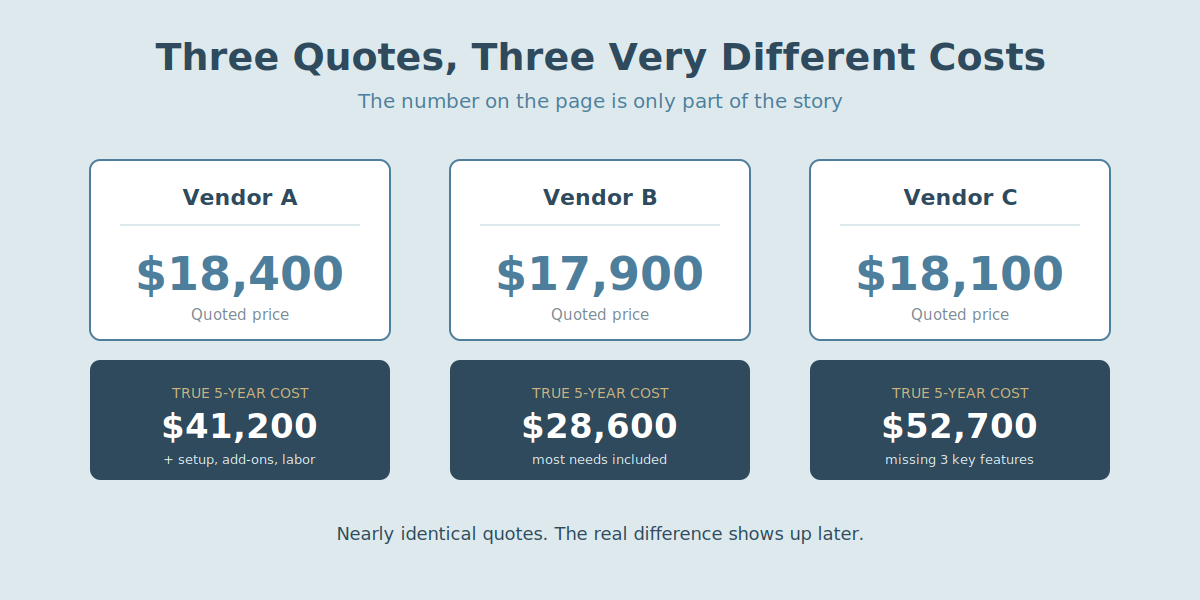
They're not all just "billing tools." Treating them that way is how organizations end up locked into a system that's cheaper upfront and more expensive everywhere else.
Step 1: Know What You Actually Need
A low price is only a win if the system does what your organization needs. Too barebones, and you'll pay for it in workarounds later.
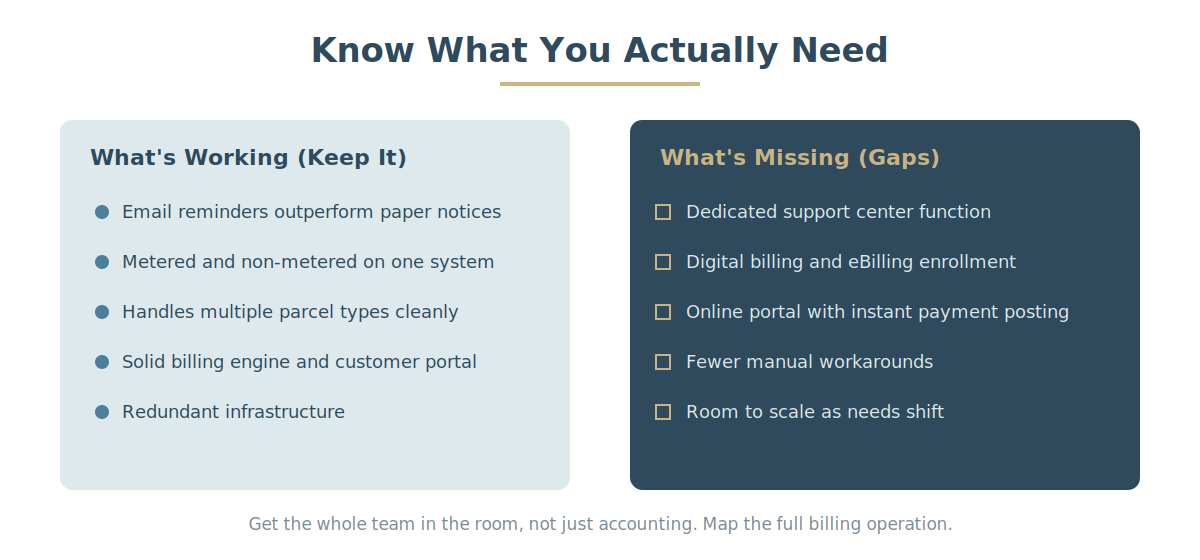
Get a broad group in a room — not just accounting — and walk through your entire billing operation step by step. A whiteboard or mind map helps here. Every system needs the basics: a solid billing engine, a customer portal, redundant infrastructure. But the real insights come from the details.
Maybe your support team gets better response rates from email payment reminders than physical notices — that's a feature requirement, not a nice-to-have. Maybe you need one system that handles metered and non-metered usage across different parcel types without extra manual work. Whatever functions are already working well for your team, carry those requirements into your search.
While you're at it, build the flip side: a list of what your current system doesn't do well. That pros-and-cons list is what turns "this quote looks cheap" into "this quote is missing three things we actually need" — or, just as useful, "this quote doesn't offer anything we don't already have."
Step 2: Build a Requirements Checklist
Turn that list into a real comparison tool. Open a spreadsheet. One column for requirements — the features you need plus the gaps in your current system. One column for your current system as a baseline. Then one column per vendor you're evaluating.
Score every system against the same requirements, and the marketing language stops mattering. A few examples of what might land on that list:
- Your team burns hours on customer calls — look for a system with a dedicated support center function.
- Mailing costs and delivery delays are creeping up — look for digital billing and eBilling enrollment.
- You're stuck taking only in-house payments — look for an online portal that recognizes revenue the moment a customer pays, instead of waiting on the mail.
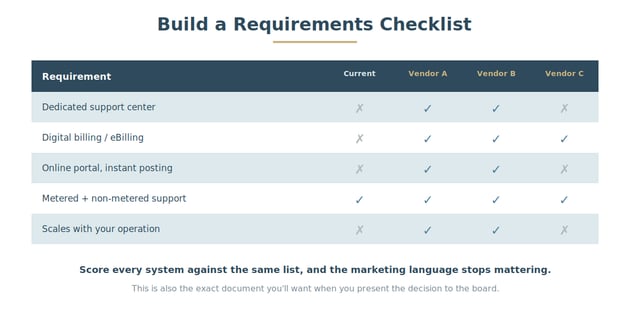
This checklist does two jobs: it keeps your comparison honest, and it's the exact document you'll want when you present the decision to your boss or the board.
Step 3: Run the Real Numbers — Total Cost of Ownership
A quoted price and an honest total cost are often two very different things. That's where a Total Cost of Ownership (TCO) analysis earns its keep — it's the only way to see what a system will actually cost over its lifetime, not just on day one. We've covered how to run that calculation step by step in How to Calculate the Total Cost of Ownership for Utility Billing Systems.
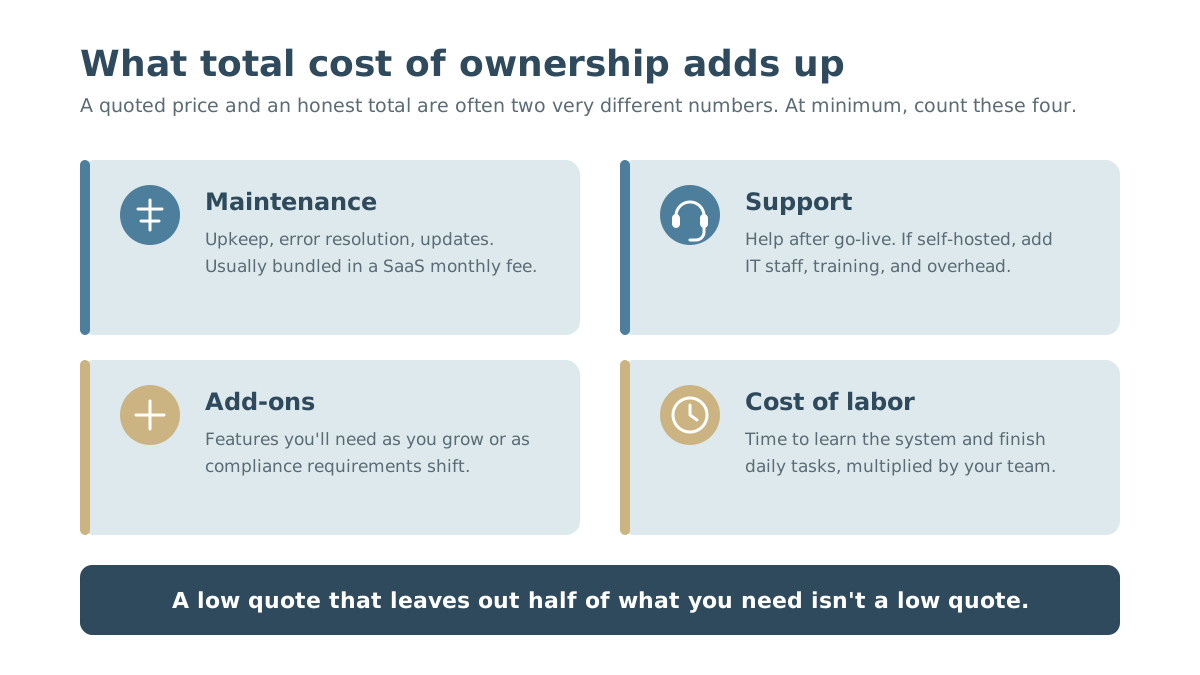
If a full TCO analysis isn't feasible right now, at minimum look at:
- Maintenance cost — general upkeep, error resolution, updates. Usually bundled into your monthly fee with a SaaS vendor.
- Support cost — what you're charged for help after implementation. If you're self-hosted, this also includes your internal IT staff, training time, and management overhead.
- Add-on costs — features you'll likely need later as your operation grows or compliance requirements shift.
- Cost of labor — how long it takes your team to learn the system and complete daily tasks, multiplied by their time.
A low quote that leaves out half of what you need isn't actually a low quote. It's a different, incomplete product.
The Bottom Line
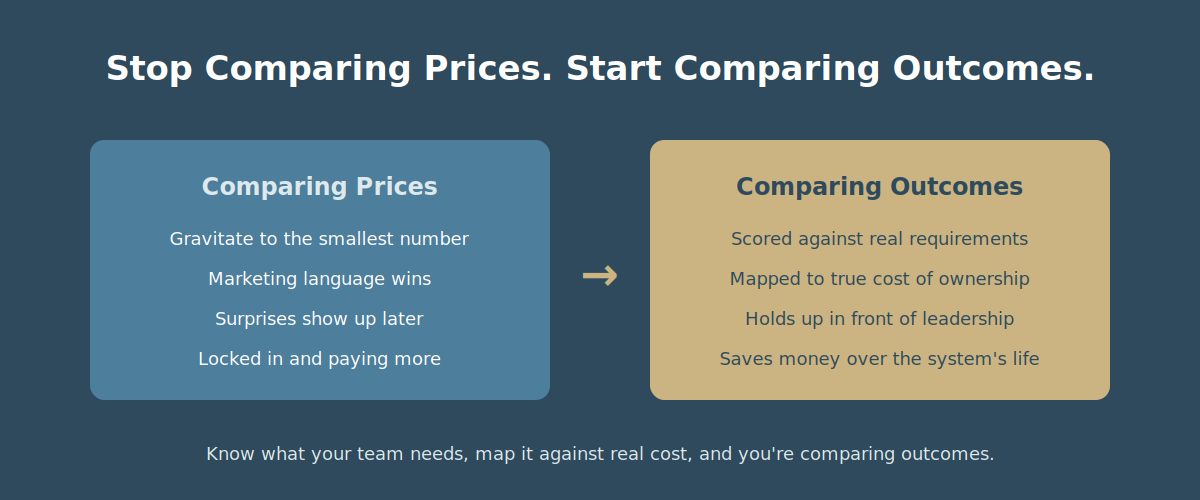
It's easy to look at three quotes and gravitate toward the smallest number. But the number on the page is only part of the story. Once you know what your team actually needs, and you've mapped that against a real cost-of-ownership picture, you're no longer comparing prices — you're comparing outcomes.
That's the version of this decision that holds up when you present it to leadership, and it's the version that actually saves your organization money over the life of the system.
