
 Douglas Strickland
Utility Billing Reporting for Property Managers: How to Get Control of Utility Costs Across Your Portfolio
Good utility billing reporting for property managers shows three things clearly, by property and across the whole portfolio: what utilities cost, how much was billed back to residents, and where the gaps are. That reporting depends on billing that syncs with your property management system (PMS) and runs automatically, so every number is current and complete.
Most property management teams can tell you what they spent on utilities last month. Far fewer can tell you how much of that cost they recovered, which properties are leaking money, or why one building's water bill jumped 30 percent. That gap is a reporting problem, and it usually starts with how billing is set up.
This guide covers why property managers struggle to see and control utility costs, which reports matter most, and how to evaluate reporting and analytics when choosing software. For a broader feature comparison, see our guide to the best utility billing software for property management.

Why Utility Costs Are Hard to See Across a Portfolio
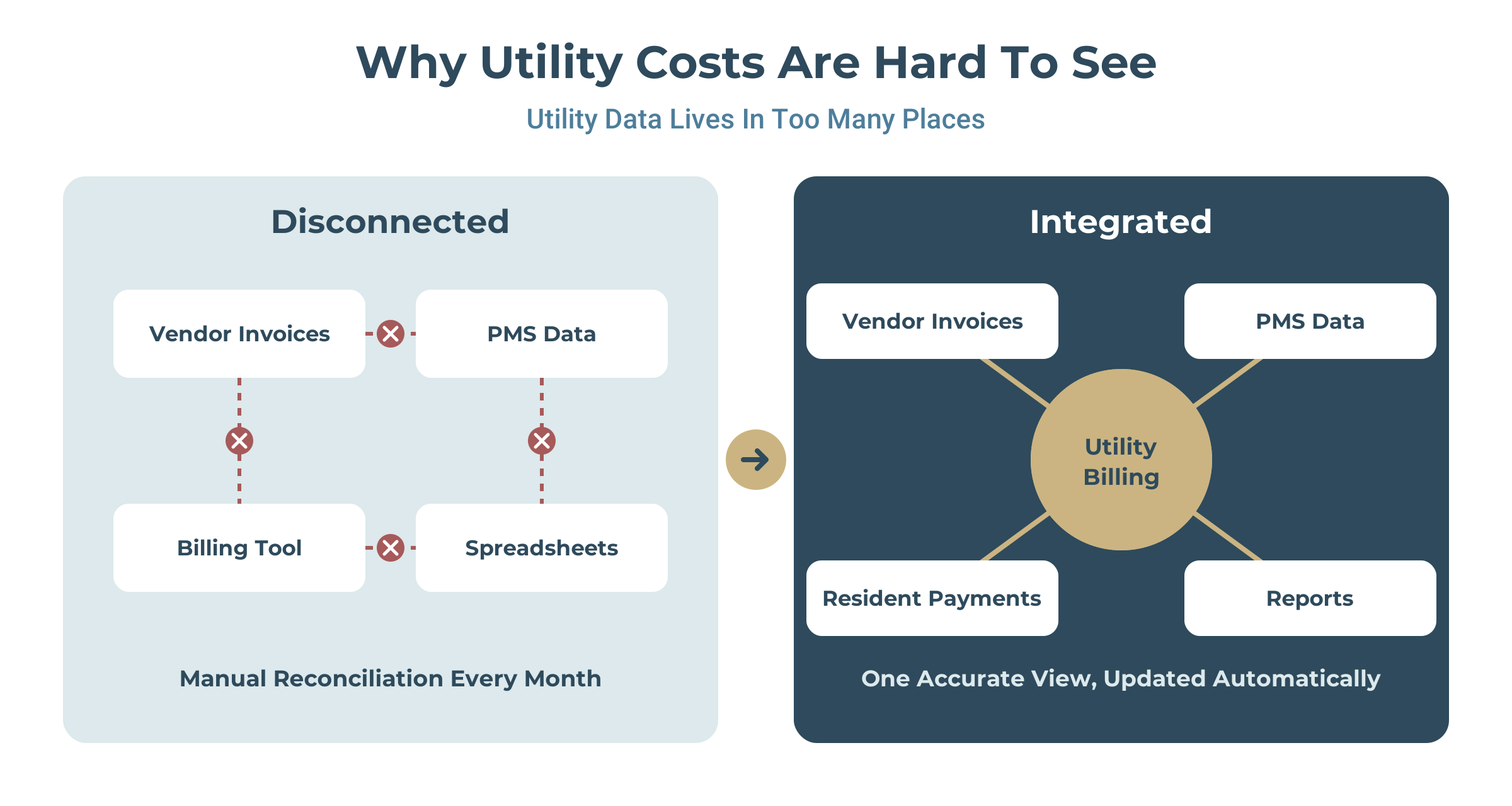
Utility costs are hard to track because the data behind them lives in different places. Vendor invoices arrive from each provider, resident and occupancy data sits in the PMS, and charges and payments live in the billing tool. When those systems don't connect, every report has to be assembled by hand.
That creates a few reporting problems property managers know well:
- Cost recovery is a guess. Missed final bills and unbilled vacant units don't show up until someone reconciles manually.
- Property comparisons are unreliable. Stale occupancy data skews cost per unit and recovery rates across properties.
- Problems surface late. Leaks, meter issues, and billing errors often show up weeks later, after the cost has been absorbed.
- Reports arrive after decisions are made. Month-end exports and provider-scheduled reports mean managers work from old numbers.
The fix starts with integration. When resident and occupancy data syncs automatically with the PMS, charges post to the right ledger and reports reflect what actually happened. For more on the broader challenges, see our guides to comparing utility billing software for property management and reducing move billing errors.
The Utility Billing Reports Every Property Manager Should Track
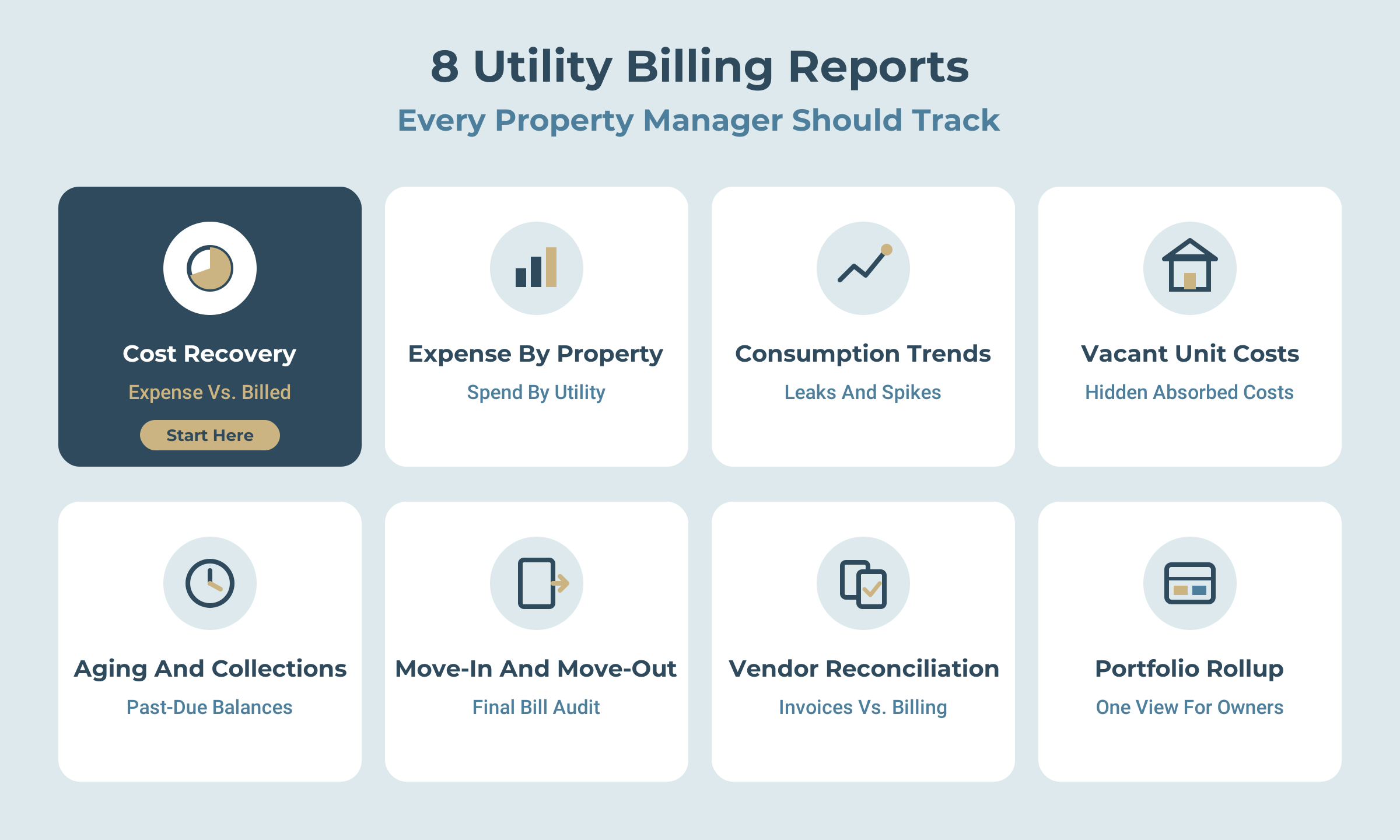
Strong billing reporting and analytics answer three questions: what utilities cost, how much was recovered, and where the problems are. These are the reports that matter most for utility expense management.
|
Report |
What It Shows |
Why It Matters |
|---|---|---|
|
Cost recovery |
Utility expense vs. amount billed to residents, by property |
Shows whether billing is covering costs and where money is leaking |
|
Expense by property and utility |
Water, sewer, gas, electric, and trash costs per property |
Highlights which properties and utilities drive the most spend |
|
Consumption trends |
Usage over time by property, building, or unit |
Flags leaks, meter problems, and unusual spikes early |
|
Vacant unit costs |
Utility charges on unoccupied units |
Captures a cost that is often absorbed without notice |
|
Aging and collections |
Outstanding utility balances by age and property |
Shows where follow-up is needed before balances grow |
|
Move-in and move-out audit |
Final bills, prorations, and account changes |
Confirms no charges were missed when residents moved |
|
Vendor invoice reconciliation |
Provider invoices matched to billed amounts |
Catches billing gaps and vendor errors before close |
|
Portfolio rollup |
All of the above, combined across properties |
Gives owners and regional managers one view of performance |
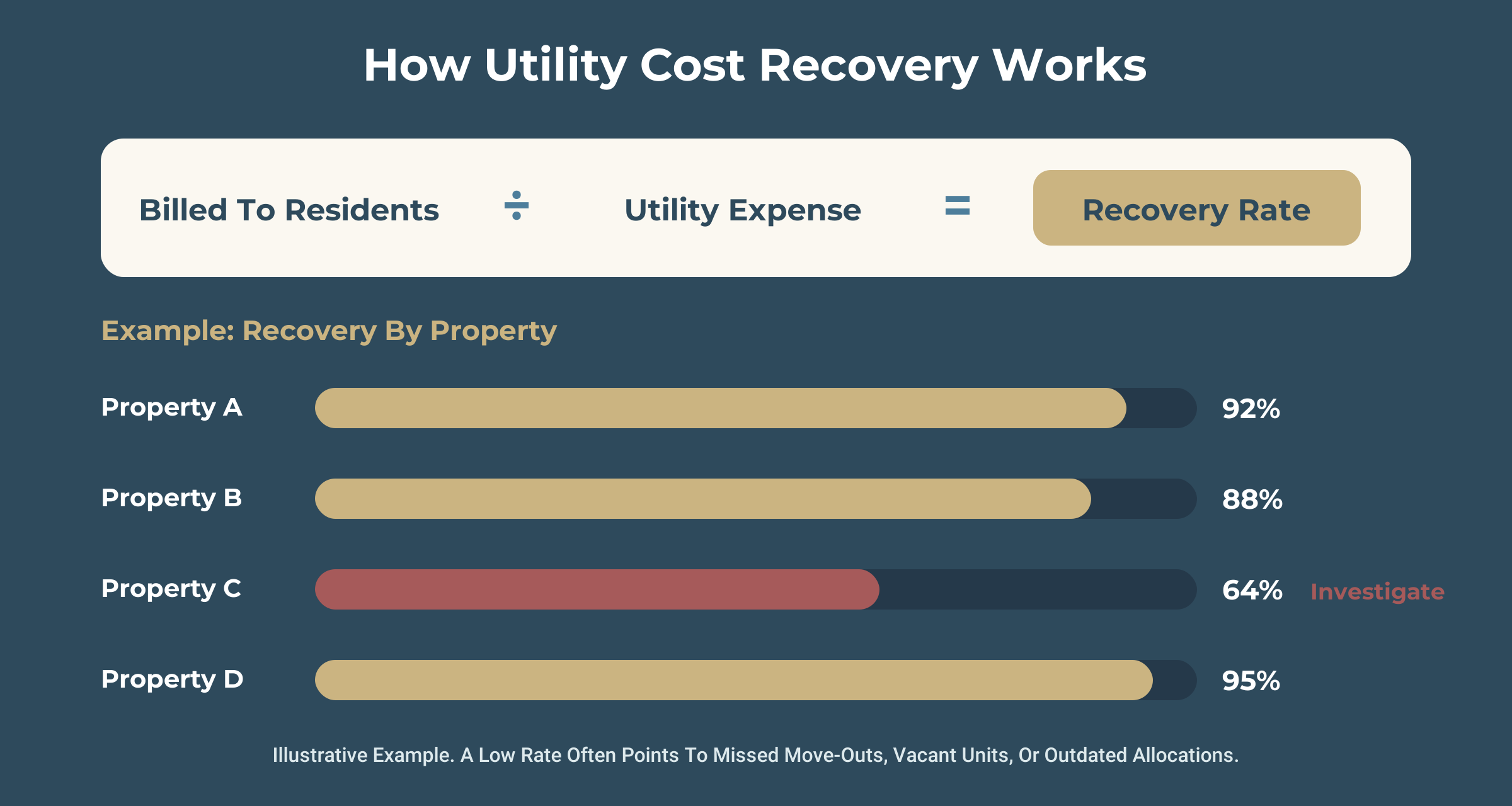
The cost recovery report is the one to start with. It connects what you pay utility providers to what you bill back to residents, and every other report helps explain the gap.
How to Evaluate Reporting in Utility Billing Software for Property Management
When comparing utility billing software for property management, look past the list of report names. What matters is whether the data is current, whether you can drill into it, and whether it connects to the rest of your operation.
|
Criteria |
What Good Looks Like |
Questions to Ask Vendors |
|---|---|---|
|
Property management integration |
Resident, unit, and charge data syncs with your PMS automatically |
Which PMS platforms do you integrate with? How often does data sync? |
|
Real-time data |
Reports reflect current billing and payment activity |
Are reports live, or generated on a schedule? |
|
Drill-down |
Move from portfolio to property to unit in a few clicks |
Can I start with the portfolio and drill down to a single unit? |
|
Expense visibility |
Utility costs and recovery shown side by side |
Can I see expense, billed amounts, and recovery rate in one report? |
|
Customization and export |
Filter, save, and export reports in common formats |
Can we build and save our own reports? Which export formats are supported? |
|
Automation |
Scheduled reports and alerts for unusual activity |
Can reports be emailed automatically? Do you alert on consumption spikes? |
|
Access control |
Role-based views for owners, regional managers, and site staff |
Can each user see only the properties they manage? |
Property management integration deserves the most weight. Every other reporting feature depends on accurate resident and occupancy data, and integration is what keeps that data accurate without manual work.
From Reports to Portfolio Control
Reports only create value when they lead to action. With utility billing automation and strong analytics in place, property managers can move from reviewing numbers to managing costs:
- Catch problems early. Consumption alerts flag a possible leak or meter issue within one cycle instead of after several months of overpaying.
- Fix recovery gaps. When one property's recovery rate drops, managers can check for missed move-outs, vacant unit costs, or allocation settings, including RUBS formulas that need updating.
- Budget with confidence. Consumption and cost trends by property make utility budgets and forecasts more accurate.
- Report to owners faster. A portfolio rollup gives owners and asset managers a clear, consistent view without a week of spreadsheet work.
- Keep tenant utility billing fair. Accurate data and itemized bills reduce resident disputes and build trust in how charges are calculated.
The goal isn't more reports. It's fewer surprises, faster answers, and a utility line item you actually control.
How MultiBilling Gives Property Managers Reporting Control
MultiBilling is utility billing software built for property managers, multi-property owners, and MSOs who want clear visibility into utility costs across every property they manage.
- PMS integration. MultiBilling integrates with property management systems including [list supported PMS platforms], so resident and occupancy data stays current in every report.
- Real-time reporting and analytics. Track cost recovery, consumption, collections, and aging by unit, property, or portfolio. [Confirm available report types and drill-down.]
- Utility billing automation. RUBS allocations, submeter billing, prorations, and late fees run automatically each cycle, so reports reflect complete billing data.
- Expense visibility. [Confirm: utility expense and billed amounts shown side by side for recovery reporting.]
- MILA, the integrated AI agent. [Confirm whether MILA flags anomalies or answers reporting questions.]
- Resident portal and payments. Residents get itemized bills and can pay online, which supports faster collections and fewer disputes.
[Optional proof point: "[Client name] improved utility cost recovery across [X] properties after moving to MultiBilling."]
Want to see your portfolio's utility costs in one place? Schedule a MultiBilling demo.

Frequently Asked Questions
What is utility cost recovery? Utility cost recovery is the share of a property's utility expense that is billed back to residents. It's calculated by comparing what you pay utility providers with what you bill and collect from residents over the same period.
What is a good utility cost recovery rate? It depends on the billing method, property type, and local rules on what can be passed through. Rather than chasing a single benchmark, track recovery by property each month and investigate any property that falls behind the rest of your portfolio.
How do you track vacant unit utility costs? Use billing software that tracks utility charges on unoccupied units by property, using occupancy data synced from your PMS. A vacant unit cost report shows where costs are being absorbed and whether they can be recovered or reduced.
What is the most important utility billing report for property managers? The cost recovery report. It compares what you pay utility providers with what you bill residents, by property, and shows exactly where costs aren't being recovered.
How often should property managers review utility billing reports? Review cost recovery and collections monthly, after each billing cycle. Consumption alerts and exception reports should be checked as they come in, so leaks and billing errors are caught within one cycle.
How can property managers reduce utility expenses? Start with visibility. Track consumption trends to catch leaks early, monitor vacant unit costs, confirm every move-out gets a final bill, and review recovery rates by property each month.

Schedule a personalized live demo of the new MultiBilling platform today and explore how AI-driven workflow orchestration, operational intelligence, and governed automation can transform your utility billing operations.