
 Ryan Duvall
Best Utility Billing Tools for Resident Self Service
The best utility billing software for property management connects directly to your property management system, gives residents a self-service portal for eBilling and online payments, automates recurring billing work, and produces reports your team can act on. Tools that do only one or two of those things leave staff filling the gaps by hand.
This guide is for property management companies and multifamily property managers comparing utility billing options. It covers why billing gets hard, what to evaluate, how the main types of tools differ, and how teams use resident self service to take pressure off the leasing office.
Why Do Property Managers Struggle With Utility Billing Software?
Most struggles come from software that was not built around how multifamily billing actually works. Property managers juggle move-ins, move-outs, unit transfers, submetered and RUBS-allocated properties, vendor bills, and resident questions, often across several systems.
The most common pain points are:
- Disconnected systems. Resident and lease data lives in the property management system, while billing lives somewhere else. Staff re-key the same information twice, and errors creep in.
- One-size-fits-all billing models. A portfolio may include submetered buildings, RUBS allocations, and flat fees. Rigid software forces workarounds for every exception.
- Limited resident access. When residents can't see their usage or pay online, every question becomes a phone call or an email to the leasing office.
- Slow billing cycles. Legacy tools can take hours to generate bills for a large portfolio, which compresses review time and delays revenue.
- Thin reporting. Without clear reporting and analytics, managers can't easily spot recovery gaps, delinquent accounts, or properties where costs outpace billing.
What Makes It Hard to Manage Utilities Without Integrated Billing Software?
Without integration, every change to a resident's account has to be made twice. A move-out entered in the property management system doesn't close the utility account automatically, so a resident may be billed after leaving, or a new resident may not be billed at all.
The ripple effects add up quickly:
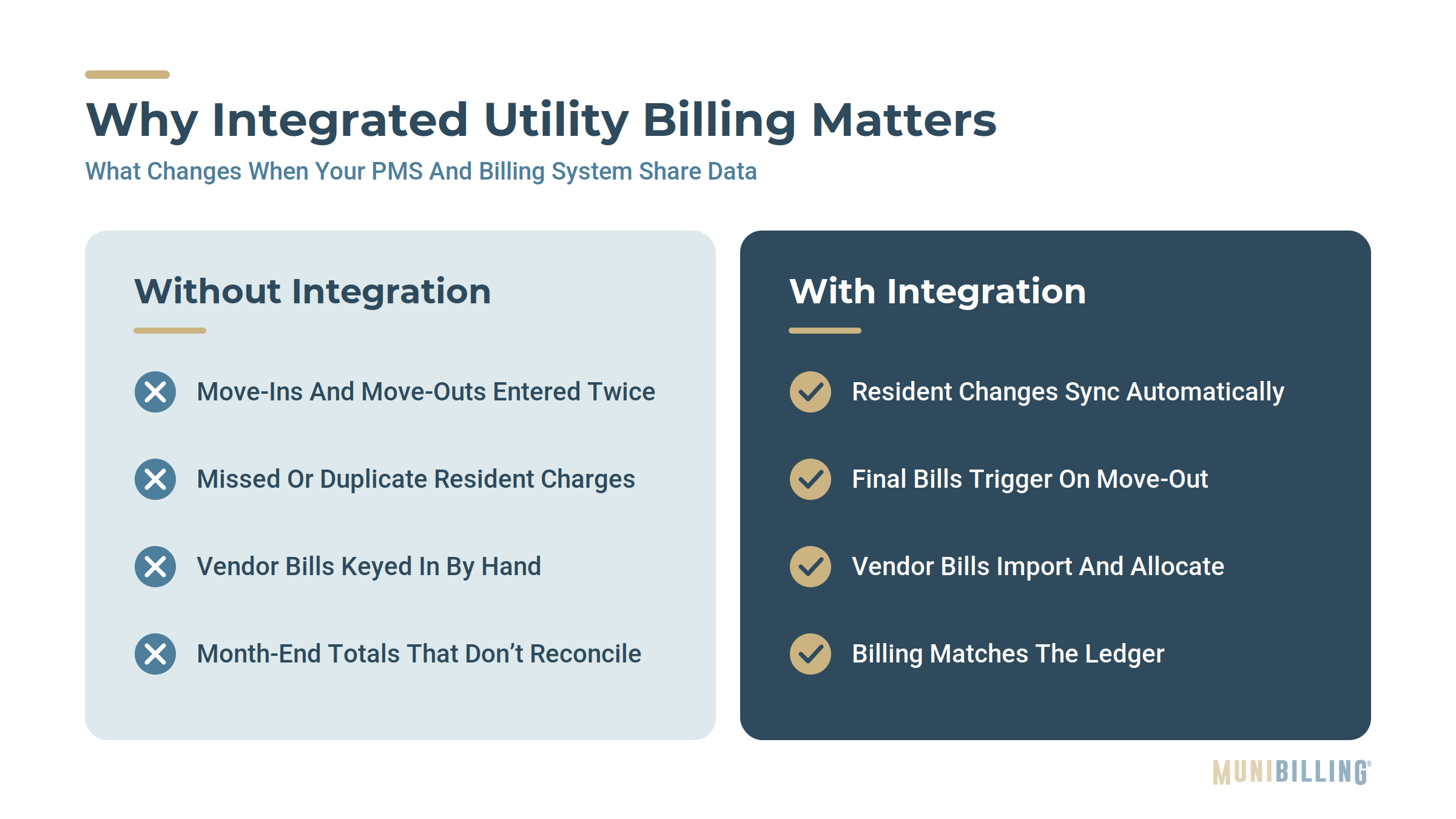
- Missed or duplicate charges from mismatched move-in and move-out dates.
- Manual vendor bill processing, where staff enter utility provider invoices by hand before allocating costs to units.
- Reconciliation headaches at month end, when billing totals don't match the ledger.
- Resident frustration when bills are late, inaccurate, or hard to understand.
Property management system integration fixes this at the source. When occupancy, lease, and account changes sync automatically, billing reflects reality without anyone re-entering data.

What to Look for in Utility Billing Software for Property Management
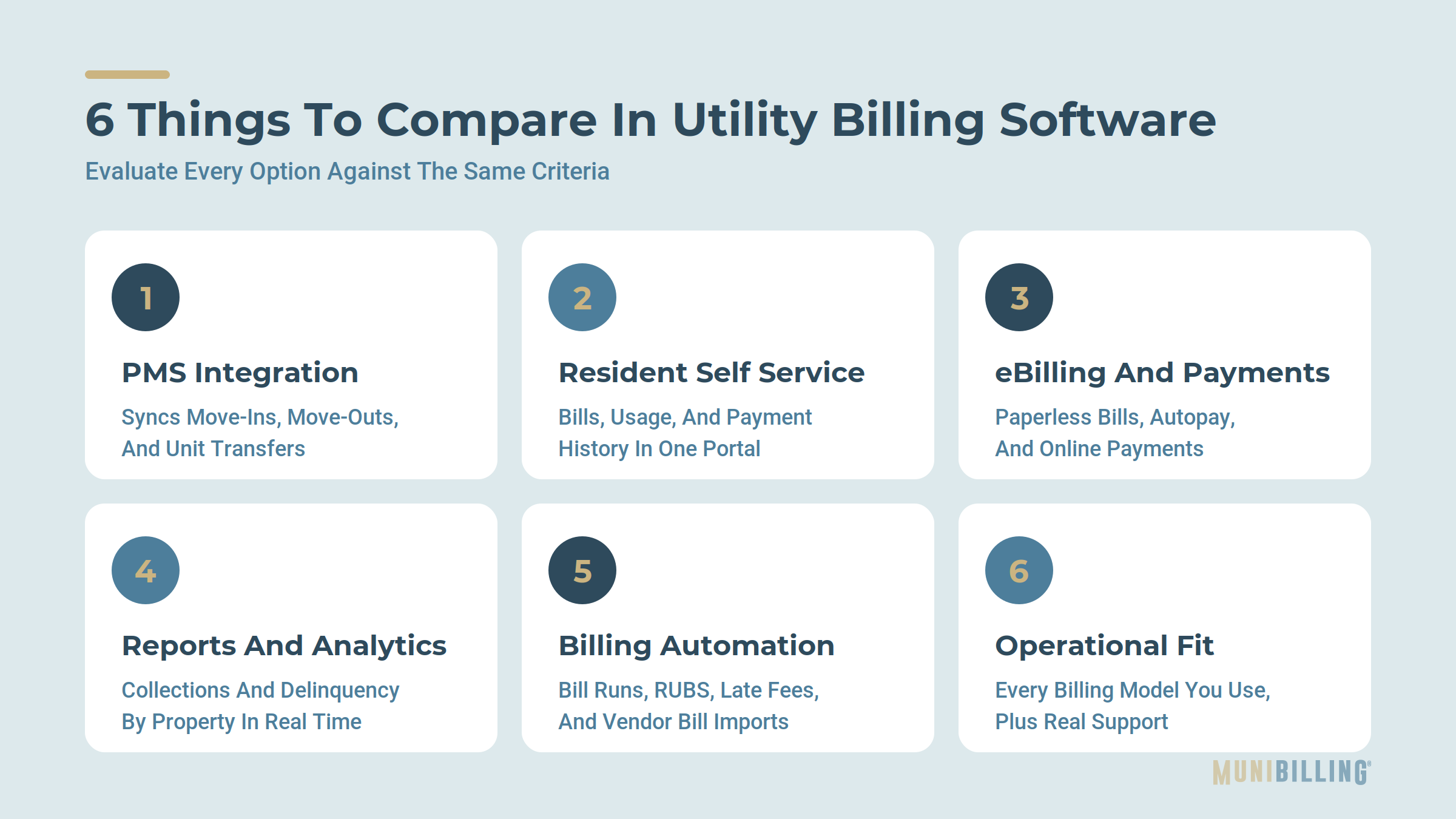
Evaluate every option against the same six criteria. A strong demo on one feature doesn't make up for a gap in another. For a closer look at the capabilities that save the most staff time, see 7 Property Management Utility Billing Software Features That Save Time.
1. Property Management System Integration
Look for prebuilt integrations or a flexible API that syncs move-ins, move-outs, unit transfers, and account updates. Ask which systems are supported today, how often data syncs, and who maintains the connection. Every disconnected system adds exception queues and manual corrections your team has to work through.
2. Resident Self Service
A resident portal should let residents view bills, usage history, and payment history, and update their own contact and payment details. Every question a resident answers for themselves is one your staff doesn't have to.
3. eBilling and Online Payments
Paperless billing cuts printing and postage costs, which keep climbing, and gets bills to residents faster. Online payment options, including autopay, help reduce late payments and the follow-up work they create.
4. Billing Reports and Analytics
You need real-time visibility into billed amounts, collections, exceptions, and delinquency by property. Configurable dashboards help regional and portfolio managers see performance without waiting for a month-end export. The goal is data you can act on, not just data you can see.
5. Utility Billing Automation
Automation should handle recurring work: bill generation, RUBS allocations, late fees, reminders, and vendor bill imports. Ask how long a full billing run takes for a portfolio your size, because the billing cycle was never supposed to take that long.
6. Operational Fit
The right tool supports the billing models you use today and the ones you'll add tomorrow, including submetering, RUBS, flat fees, and multiple utility types. Also weigh onboarding support, training, and whether you can reach a real person when something goes wrong.

Comparing the Main Types of Multifamily Utility Billing Tools
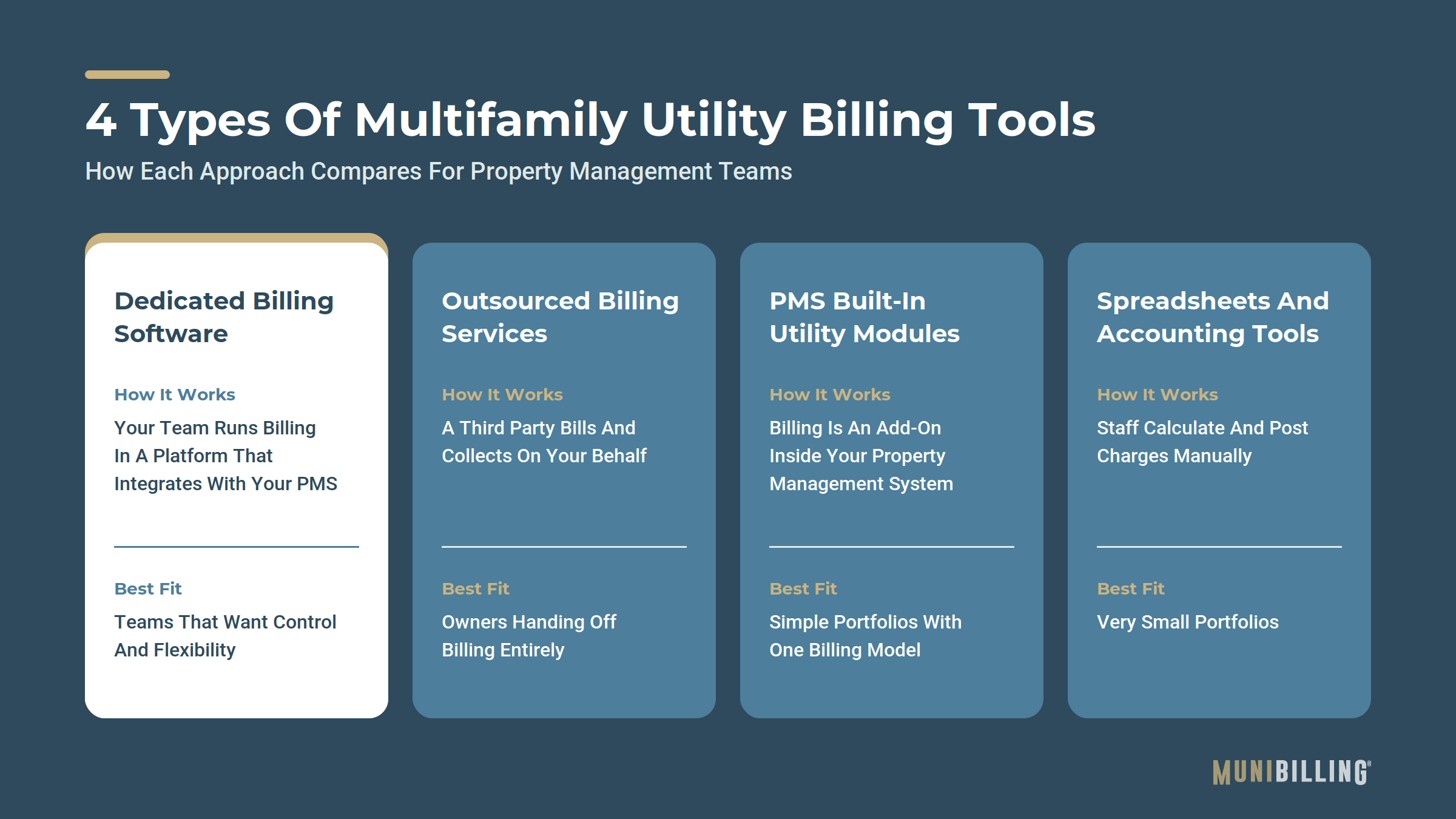
Most options fall into four categories. The right one depends on how much control you want over billing and how much of the work you want your own team to handle.
|
Tool type |
How it works |
Best fit |
Watch for |
|---|---|---|---|
|
Dedicated utility billing software |
Your team runs billing in a purpose-built platform that integrates with your PMS |
Teams that want control, flexibility, and lower per-unit cost |
Integration depth and onboarding support vary by vendor |
|
Outsourced billing services |
A third party handles billing, resident communication, and collections on your behalf |
Owners who want to hand off billing entirely |
Less control over resident experience, timing, and fees passed to residents |
|
PMS built-in utility modules |
Utility billing is an add-on inside your property management system |
Simple portfolios with one billing model |
Limited support for RUBS, submetering, and complex rate structures |
|
Spreadsheets and accounting tools |
Staff calculate and post utility charges manually |
Very small portfolios |
Error-prone, hard to scale, no resident self service |
Where MultiBilling Fits
MultiBilling is dedicated utility billing software from MuniBilling, rebuilt from the ground up for multifamily property managers, private utilities, and municipalities. It's designed for teams that want control of their billing without the manual work.
- Integrations with property management systems, vendor bills, GIS, and other data feeds to streamline the full billing lifecycle.
- Flexible billing models, including RUBS allocations, submetering, late fee management, and multiple utility types.
- Resident self service through a customer portal with account, usage, and billing history.
- Faster billing, with more than a 10x improvement in bill creation performance over the previous platform, cutting billing runs from hours to minutes.
- Real-time reporting through configurable KPI dashboards covering billing performance, revenue trends, and exceptions.
- Works anywhere, with a fully responsive experience across desktop, tablet, and mobile.

How Companies Streamline Resident Utilities With Utility Billing Software
Teams that streamline resident utility management connect every step from move-in to payment, then let residents handle routine tasks themselves.
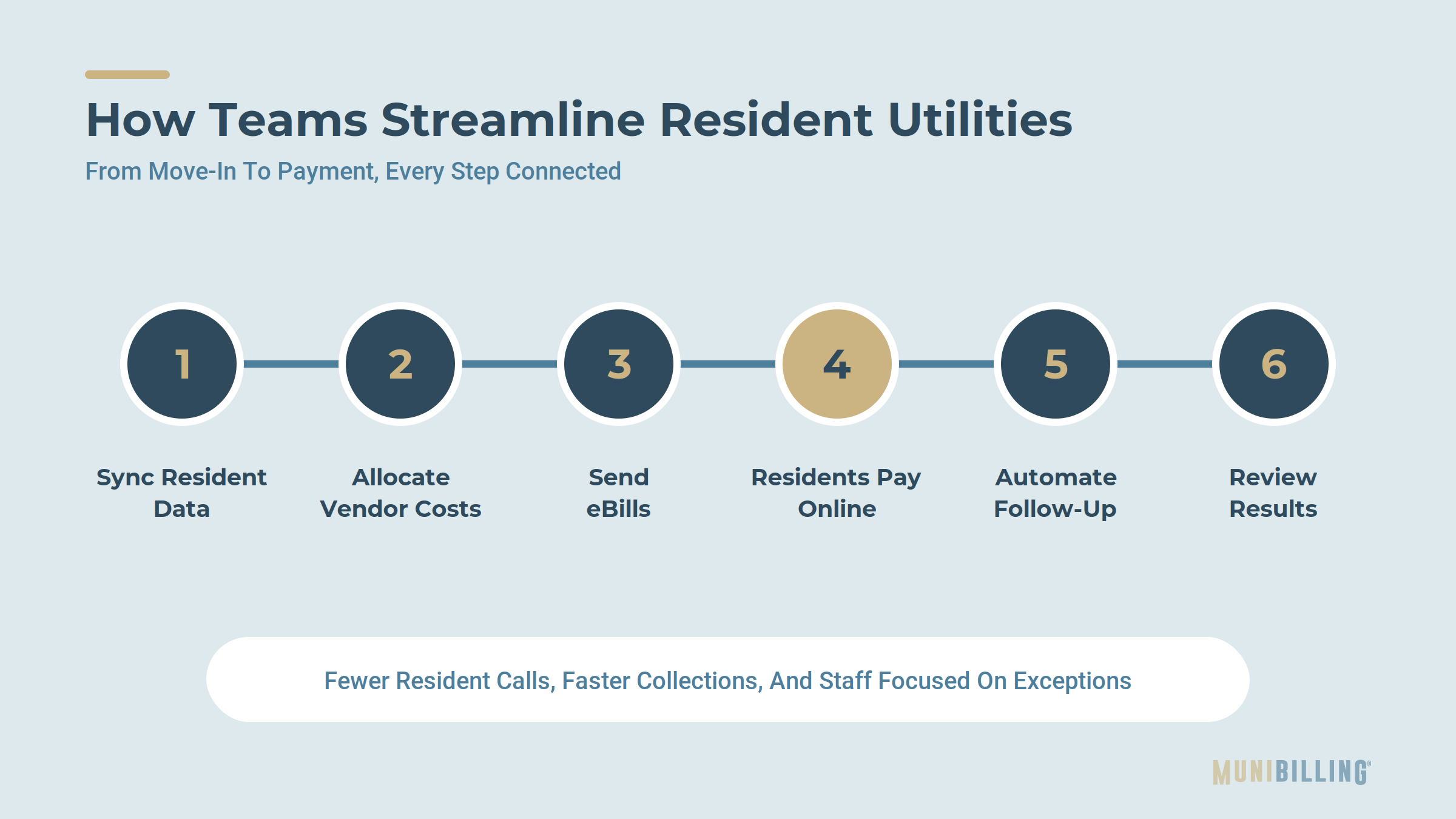
- Sync resident data automatically. A move-in in the PMS opens the utility account; a move-out closes it and triggers a final bill.
- Import vendor bills and allocate costs. Utility provider invoices flow in and are allocated to units by meter reading, RUBS formula, or flat fee.
- Generate and deliver bills electronically. eBilling gets statements to residents the same day bills are approved.
- Let residents pay and self-serve online. Residents view usage, download statements, set up autopay, and pay without calling the office.
- Automate follow-up. Reminders and late fees apply on schedule, so staff only handle true exceptions.
- Review results in real time. Dashboards show collections, delinquency, and cost recovery by property.
The result is fewer resident calls, faster collections, and billing staff who spend their time on exceptions instead of data entry.
Utility Billing Software Buyer's Checklist
Use these questions in every demo so you can compare vendors side by side.
|
Criteria |
Questions to ask |
|---|---|
|
PMS integration |
Which property management systems do you integrate with today? How often does data sync? |
|
Resident self service |
What can residents do in the portal without contacting staff? |
|
eBilling and online payments |
Do you support paperless billing, autopay, and multiple payment methods? |
|
Reporting and analytics |
Can I see collections, delinquency, and cost recovery by property in real time? |
|
Automation |
Which steps are automated, and how long does a full billing run take? |
|
Billing models |
Do you support RUBS, submetering, flat fees, and multiple utility types in one portfolio? |
|
Support |
Who handles onboarding, training, and day-to-day questions? |
See How MultiBilling Simplifies Resident Utility Billing
If your team is re-keying resident data, fielding billing calls, or waiting hours for billing runs, it's time to look at a platform built for multifamily. Book a MultiBilling demo to see integration, resident self service, and real-time reporting in action.
Frequently Asked Questions
What is the best utility billing software for multifamily properties?
The best multifamily utility billing software integrates with your property management system, supports RUBS and submetering, offers a resident self-service portal with online payments, and provides real-time reporting. Dedicated platforms like MultiBilling give property managers that combination while keeping billing control in-house.
Which utility billing software works best for property management firms?
Firms managing multiple properties need software that handles different billing models in one place and syncs with their PMS. Look for automation, configurable reporting by property, and a resident portal that reduces calls to the leasing office.
Why do property managers struggle with utility billing software?
Most struggles trace back to disconnected systems, rigid billing models, slow billing cycles, and limited resident access. These gaps force staff into manual data entry and constant resident follow-up.
What makes it hard to manage utilities without integrated billing software?
Without integration, move-ins, move-outs, and account changes must be entered twice. That leads to missed charges, billing errors, and month-end reconciliation problems.
How do companies streamline resident utilities with utility billing software?
They sync resident data from the PMS, automate vendor bill allocation and bill generation, deliver bills electronically, and let residents view usage and pay online through a self-service portal.

Schedule a personalized live demo of the new MultiBilling platform today and explore how AI-driven workflow orchestration, operational intelligence, and governed automation can transform your utility billing operations.